
Best Cheap ISP Proxies from Reliable Providers
Running a stable online operation takes reliable tools. You know what sudden blocks can cost you if you're scraping data, fine-tuning PPC campaigns, or managing dozens of profiles for an SMM agency. It can be costly to constantly purchase expensive residential plans and pay for each gigabyte. That is why businesses prefer high-quality, cheap ISP proxies that won't cost them a fortune. They are a good middle ground for a variety of business activities. Let's check out the top cheap, reliable options.
What Are ISP Proxies?
These are static IP addresses. The main characteristic is the placement of the hardware. The IPs are carrier-backed (provided by Internet service providers), and the physical servers are located in fast datacentres. You’re given a single IP for an extended period, with no forced rotation. This combination of a datacenter (fast, high-throughput) and a real home IP (trustworthy) is a good mix. The result is high performance for large‑scale scraping or lots of simultaneous sessions.
Technically speaking, what is a proxy offered by an ISP? Your requests are from addresses that are linked to actual users. That means that speeds are fast (100–300 Mbps) and latency is low, and the IPs still have residential-level trust. They are treated as a standard home connection (usually from a well-known ISP such as Comcast, Verizon, Lumen) and are blocked much less often and provide excellent stability (typically 99% uptime).
You appear to be a normal user of a large home broadband service, which is not considered a security risk by any site's security system. Meanwhile, you receive a proxy connection that is rock‑solid stable. These addresses are trusted automatically by websites.
What Are the Differences Between ISP and IPv4 Proxies?
There is a lot of confusion between the two terms. Not all IPv4 ones are ISP ones. Cheap IPv4 proxies can come from datacenters. Cheap ISP proxies are also based on IPv4, but their IPs are from – or assigned by – telecom operators and thus are considered regular residential addresses.
In most business activities, ISP proxies provide a better balance of speed and reliability.
Security and Privacy
Even cheap ISP proxies offer a high level of anonymity, as websites will see the IP of a real internet provider rather than your own.
However, it is worth noting that online anonymity can only be achieved with additional steps – such as using HTTPS proxies and verifying that your browser is not leaking DNS or WebRTC data.
Most ISP proxy providers do not maintain user logs (or do so very sparingly) – it is clearly stated in their privacy policies. If security is paramount to you (such as banking data or sensitive analytics), then you may want to consider paid solutions that have clear no-log policies and encryption.
What Are the Reasons for Using Static Residential Proxies for Businesses?
Connection stability is one of the most important factors when running an online business. Many automated tools support the use of rotating proxies (i.e., addresses that constantly change). However, for serious commercial work, that doesn't work. For those who are handling ad accounts or client profiles, frequent network changes can trigger security algorithms' red flags. You will just end up with a lot of security checks that will keep you from working.
That's why companies opt for cheap static IP addresses. You receive a dedicated connection which remains yours throughout the rental period. Websites see that the same user logs in regularly from the same city and the same device. This establishes a good track record of trust.
In addition, business tasks require network authority. Standard datacenter solutions are cheap but are often sold in bulk. Reliable residential IP addresses don't have that issue, as databases treat them as normal home users.
The financial benefit is obvious, too. Mobile or rotating connections typically charge you per gigabyte of data used. For large‑scale data gathering or always‑on operations, this gets very expensive. By choosing cheap ISP proxies, you buy a fixed address with unlimited traffic.
Best ISP Proxies for Different Use Cases: Who Should Buy Them and for Which Tasks
These tools suit a wide range of online professionals. Here are the main areas where businesses most often put cheap ISP proxies to work.
Web Scraping and Parsing
Analysts frequently collect publicly available data from the web. They monitor competitor prices and study market trends. Processing large amounts of information in parallel calls for stable connection channels. ISP addresses guarantee fast, reliable collection of open data.
SEO Monitoring and Marketplaces
SEO specialists regularly check site rankings. They analyze search results across different regions. Managing a large number of accounts on platforms – social networks, marketplaces, and the like – needs consistent sessions. Proxy nodes let you verify rankings and ad placements in various locations without interruptions.
PPC, SMM, Affiliate Marketing
PPC marketers also test how ads appear. Tools like these are essential for precise local‑ad auditing. You get a clean monitoring result for a specific country.
E‑commerce Analytics
Marketing agencies run projects for their clients. Managers administrate official brand pages and gather e‑commerce statistics. A static IP gives each project a permanent digital workspace, making the team’s daily routine both convenient and predictable.
Beyond collecting e-commerce statistics, businesses can also use customer engagement data to improve retention and encourage repeat purchases. A digital loyalty program can complement these analytics by rewarding returning customers, tracking engagement, and helping brands build stronger long-term customer relationships.
Gaming and Esports
Gaming sessions demand minimal server response times. Static IPs from internet providers combine the high speed of datacenters with low ping during crucial matches. You also get a permanent connection with no sudden dropouts.
Streaming and Content Creation
Live streamers work with huge volumes of video material. They need a stable signal to their chosen platform. ISP nodes offer unlimited bandwidth and are perfect for broadcasting high‑resolution footage. The channel handles heavy loads without dropping frames, and streamers get a fixed digital location for reliable interaction with their audience.
How to Choose the Best ISP Proxy Provider: Key Technical Criteria
There are plenty of offers on the market, but they’re not all equal in quality. Even when you’re buying cheap ISP proxies, the technical specs should come first. Keep an eye on a few key network characteristics.
Reliability and Performance
Take a close look at what users say about connection stability and speed. Working with large data sets calls for high‑speed, low‑latency proxies (up to 1 Gbps). They load heavy pages quickly and guarantee fast server responses. Your software will run smoothly with no technical hiccups.
Some services cap the number of gigabytes you can use. Big projects need stability (99%+ uptime) and unlimited bandwidth – unmetered, continuous traffic keeps your tools from grinding to a halt unexpectedly.
Ask about the SLA and whether 24/7 support is available – it matters for uninterrupted work.
Protocol Compatibility
Check that the two main protocols are supported. Even cheap ISP proxy providers offer SOCKS5 and HTTP(S) proxies, and some even allow UDP over SOCKS5.
HTTP(S) works with web pages and text data, suiting standard browsing or online shop scraping. SOCKS5, on the other hand, is more versatile. It transmits any type of traffic, including complex network requests. This protocol ensures a higher level of privacy because it doesn’t pass on information about your browser’s original headers.
Also find out whether you can set up sessions with a fixed IP (static sessions) or automatically rotate addresses – useful for certain tasks.
Price and Payment Model
Many cheap ISP proxies are sold per IP or per gigabyte of traffic. For instance, some providers offer unlimited bandwidth when you buy by the IP.
Usually, a single ISP IP starts from a few dollars per month. The larger the package you buy, the lower the unit price. You may also find plans without obligatory prepayment, giving you the option to pay only for the traffic you actually use.
Geographic Targeting and Scalability
Find out how many IPs are available and in which countries. Platforms that have contracts with lots of local ISPs can provide IPs from various cities and AS providers. Choose cheap ISP proxies from companies that have servers in the regions you need. Some services let you pick a country, a city, or even a specific ASN.
Also consider how easily you can scale up – both IPs and traffic – as your needs grow. Many services let you add addresses on the fly through your dashboard. It’s also important to know whether there are limits on simultaneous sessions and bandwidth. Some of them offer unlimited sessions and traffic when you pay per IP, for instance. Diversifying IPs across different /24 subnets also helps with scalability and resilience: the more different ASes and subnets you use, the less likely it is that many of them will be blocked simultaneously.
Support and Guarantees
Be mindful of the conditions of technical support, user reviews, and any money-back guarantee. Look for a free trial or a refund period in the first couple of days. A higher level of security can be signified by strict KYC (identity verification), which requires a bit more time to set up.
The Best 6 Providers of Cheap ISP Proxies
We've gathered trusted services offering high-quality, cheap ISP proxies for long‑term business tasks. They have good reputations among professionals.
1. YouProxy
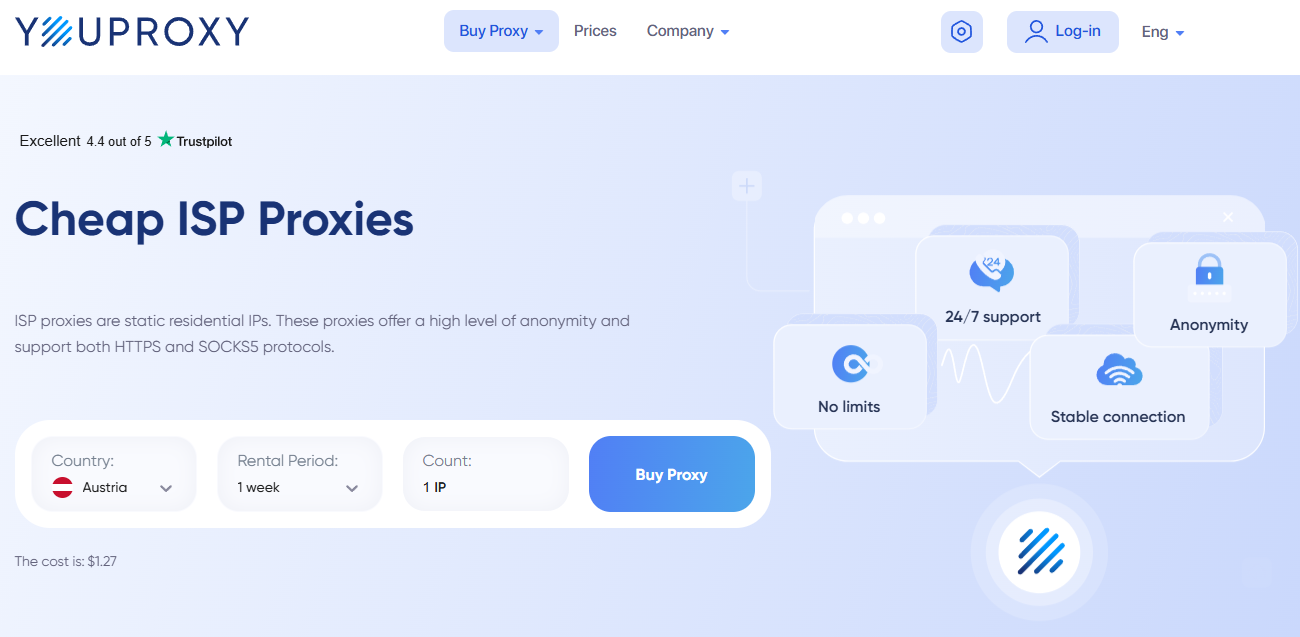
This service offers static addresses in 20+ locations, with reliability. The network comprises large pools of trusted ISPs (such as Verizon, Kinetic, Frontier, AT&T) in the United States, Brazil, and across Europe and Asia. Users get individual connections with full support for HTTP(S) and SOCKS5. The infrastructure complies with GDPR and is based on gigabit links. Technical support is available 24 hours a day – experts respond to live chat within minutes. Guides and documentation are provided, too.
Pricing
A single address costs $1.27 per week of rental. Purchasing for up to 12 months. The provider has an automatic discount system. The price is $0.95 per IP when ordering larger packages or renting for longer.
Pros
-
A variety of locations
-
IP pools from official operators
-
Quick order delivery via an easy-to-use dashboard
Cons
-
No free trial for new users
2. Proxy-Seller
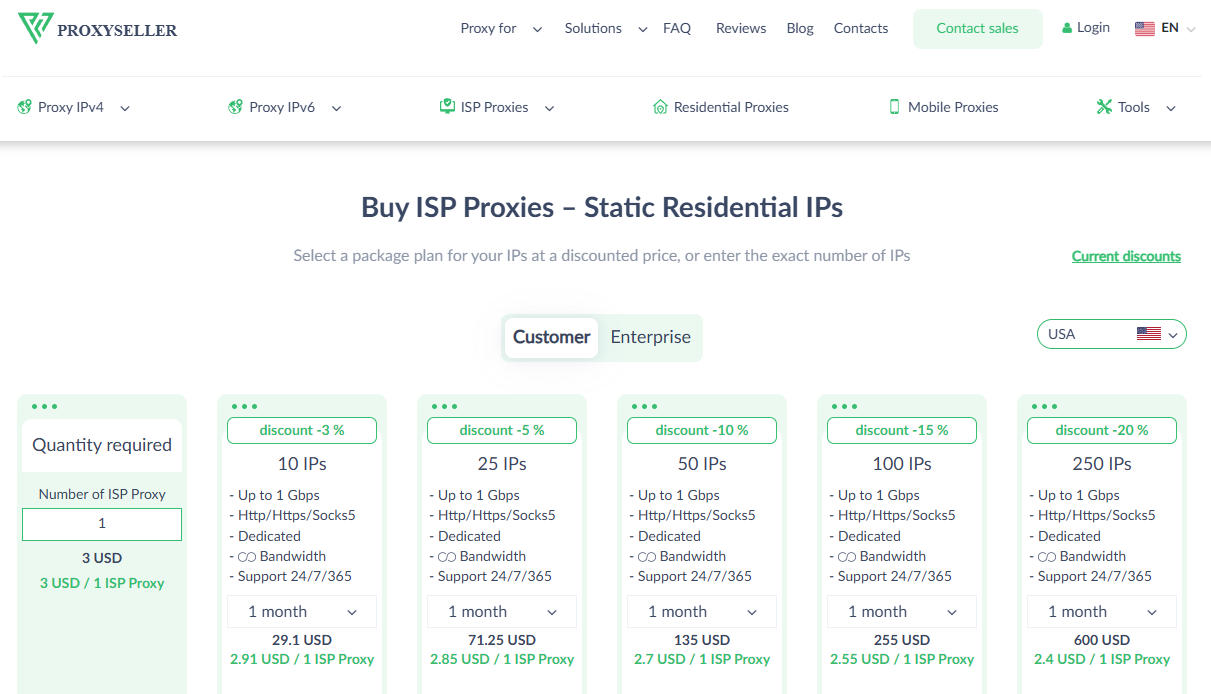
This provider has a large number of static addresses in over 20 countries (geographically mixed pools are available). The infrastructure consists of more than 400 proprietary networks and 800 subnets. Clients get dedicated lines with speeds up to 1 Gbps. The service fully supports HTTP(S) and SOCKS5. Server operations are fully automated. Users can select either username authentication or IP whitelisting. The online chat support is available 24/7.
Pricing
Tariffs are based on each IP rented. The starting prices range from $1.50 to $1.75 per IP, depending on the country you choose. The service provides attractive mixed packages from different areas from $1.05. Clients purchase connections for a week to a year. The longer you rent, the lower the final price. It's a great choice when you have to work with cheap ISP proxies for long projects.
Pros
-
Unlimited traffic
-
Mixed packages available
-
Flexible rental term options
Cons
-
No free trial available for new users.
-
The minimum order for mixed packages is 20 IPs.
3. Geonix
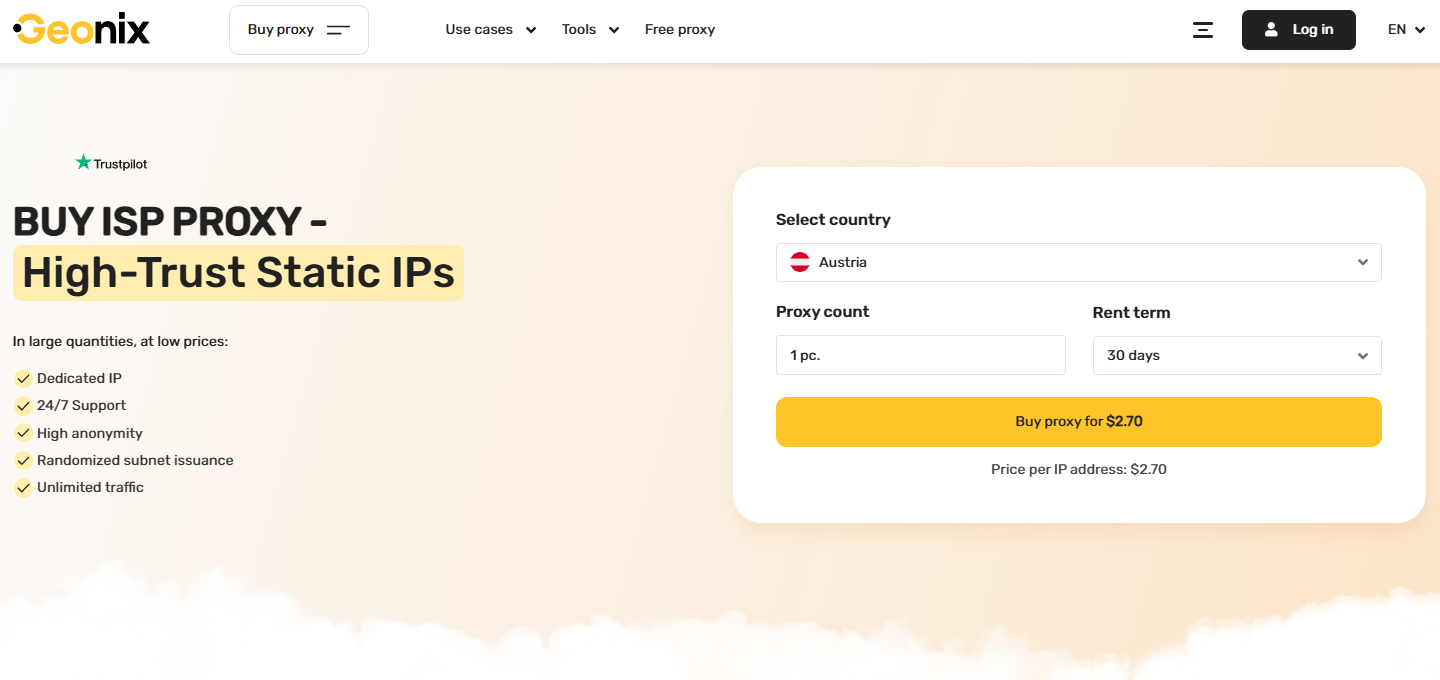
This service was formerly known as Proxy-Sale. The company rebranded and upgraded its technical skills. Geonix provides dedicated IPs from real ISPs in 20+ countries. Wholesale packages are available starting from 10 IPs. The connections are up to 1Gbps. The more IPs you rent and the longer you rent them, the cheaper they will be.
The infrastructure includes over 400 networks and 1,000 subnets with stable channels that support HTTP(S) and SOCKS5. The service offers a convenient control panel. Technical support responds to chat requests at any time.
Pricing
The cheap pricing model is ideal for all budgets. The cost of a single IP begins at $1.35. Clients get automatic discounts when ordering larger packages. The price also goes down with multi‑month rentals. There are numerous easy ways to pay.
Pros
-
Huge network coverage
-
High channel speeds
-
Randomized subnet issuance
Cons
-
Some tariffs do not include automatic renewal
-
New clients need to monitor rental periods themselves
4. Proxy-IPv4
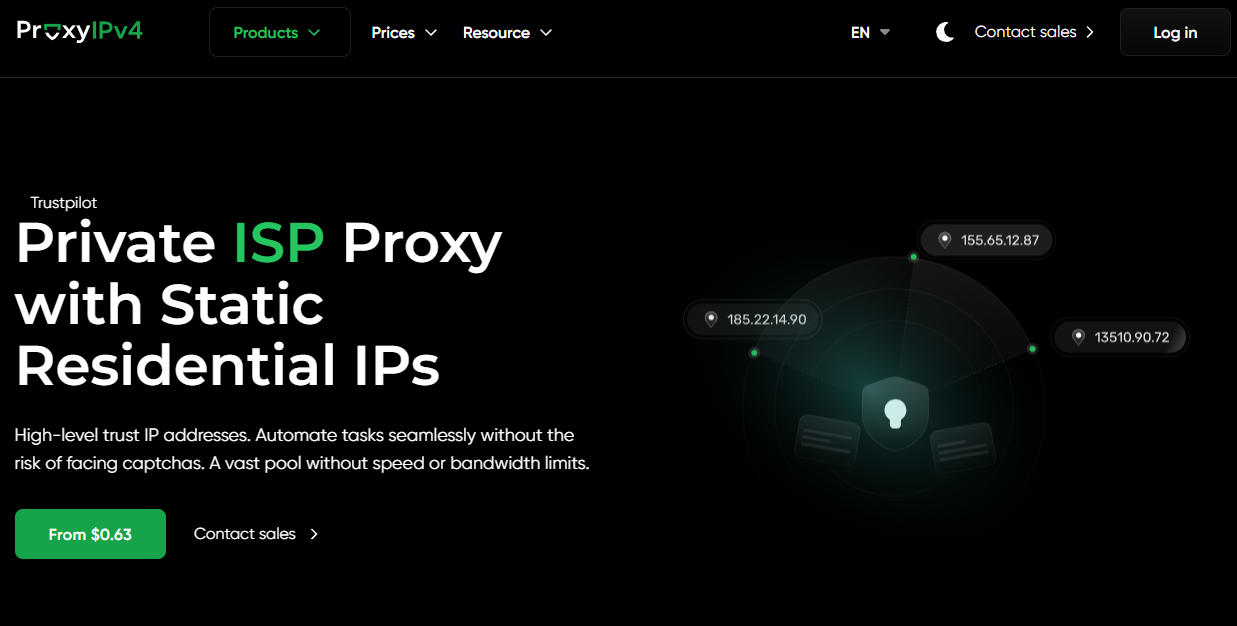
Clients can choose an ISP proxy from a cheap, clean pool in 17 locations. Individual connections support HTTP(S) and SOCKS5. Orders are managed through a user‑friendly dashboard or a functional API. Technical support staff respond to chats without any breaks during the weekend.
Pricing
The company provides flexible payment terms; the minimum order period is 3 days or 90 days. The prices per IP start at $0.63, depending on the geo and package size. Enterprise customers receive customized financial offers for bulk orders.
Pros
-
Short‑term rental of just a few days is possible
-
Completely unlimited traffic
-
Automatic renewal feature
Cons
-
No free test
-
Relatively small geo pool
5. Webshare
This is an American company with a completely automated platform. The clients assemble their own tariff packages for specific projects: they can select shared, private, or dedicated IPs with 250 GB or unlimited bandwidth.
The network includes 100K+ ISP proxies – cheap and modern, with HTTP(S) and SOCKS5 protocol support. The servers' speed is up to 1 Gbps. The control panel provides easy API integration for software developers.
Pricing
The prices begin at $0.30 per IP. Discounts are available for packages of 500 or more IPs. Clients select tariffs with a traffic allowance or fully unlimited. The final cost is directly related to the number of IPs chosen (20 to 10,000 IPs in a plan).
Pros
-
Lowest price ever
-
Easy online tariff generator
-
10 free proxies when you register
Cons
-
The base package comes with 20 IPs
-
Unlimited traffic comes at a higher price
6. Bright Data
This international company has one of the largest networks of static residential addresses (1.3+ million). The service offers long‑term (subscription) connections in 35 countries around the world. The feature-rich dashboard allows clients to manage their orders. The platform offers in-depth network usage reports. Technical support is available on a 24/7 basis.
Pricing
The company offers a flexible pay‑per‑IP or pay‑per‑bandwidth‑usage model. Clients can pay per use and purchase IPs without a monthly obligation. The prices begin at $1.30 per IP and $5 per GB.
Pros
-
Good geographical network coverage
-
Stable server performance when under load
-
Flexible tariffs and a free trial period
Cons
-
Advanced configuration interface for new clients
-
No short‑term rental
Best ISP Proxy Providers Compared
Let's compare the essential conditions before you decide. We've gathered the essentials of all six cheap services into a single matrix. It includes the latest prices and the primary pros of each brand.
| Starting Price | Geo Coverage | Key Feature | |
|---|---|---|---|
| YouProxy | From $1.27 / IP | 20+ locations | Clean pools from well‑known operators (AT&T, Verizon) |
| Proxy-Seller | From $1.50 / IP | 20+ countries | Fully unlimited traffic and mixed packages |
| Geonix | From $1.35 / IP | 20+ countries | Bulk discounts and a large number of subnets |
| Proxy-IPv4 | From $0.63 / IP | 17 locations | Flexible short-term rental (as little as 3 days) |
| Webshare | From $0.30 / IP | 100K+ proxies | Free addresses and online plan builder |
| Bright Data | $1.30 / IP or $5 / GB | 35 countries | Flexible pay‑as‑you‑go with no mandatory subscription |
Technical conditions vary by service. Choose the one that fits the size and budget of your existing project.
Setting up Your Proxy for Work
After purchase, you need to set up a proxy server and link these IPs to your working software. The setup is very simple. The majority of the latest applications have the same fields to fill out.
Let's take a look at how to do it step by step using SwitchyOmega as an example.
-
Collect your information in the dashboard (1-2 mins). Log in to your provider's website. Make a copy of the primary technical credentials. The IP address and port will be required. Also, be prepared with your login and password for authentication.
-
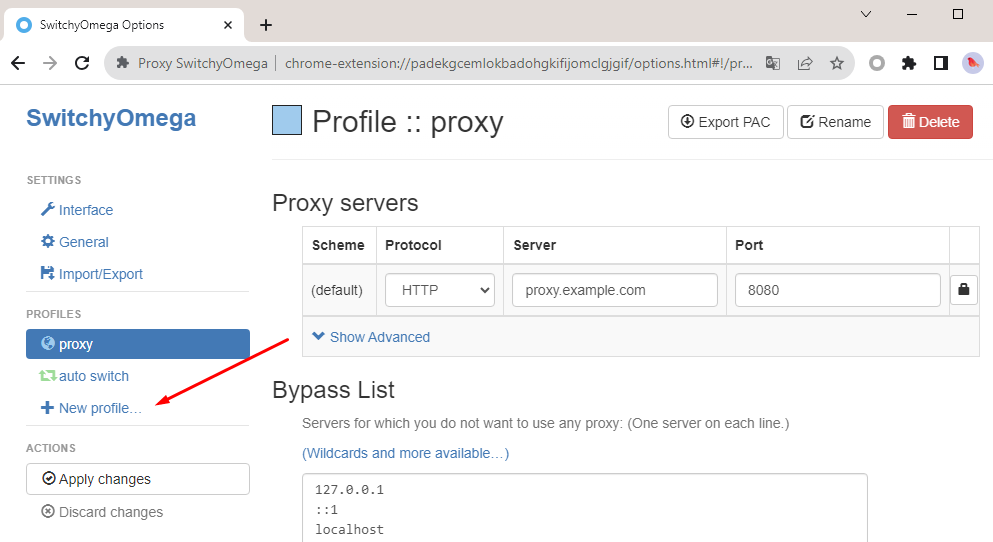
Make a new working profile (2 mins). Start your application or anti‑detect browser. To create a new profile, click the button. Assign a name to the project for easy navigation.
-
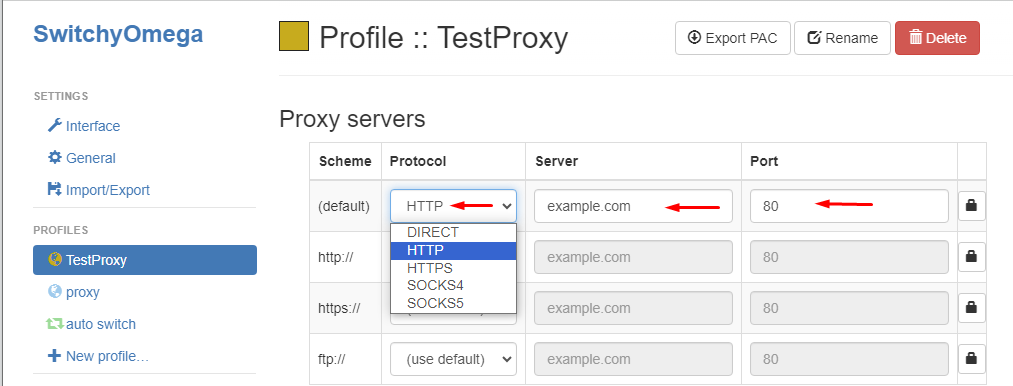
Fill in the network settings (3 mins). Look for the network connection area. Choose the correct protocol type: HTTP, SOCKS5, etc. Enter the IP and connection port number. Enter the username and password.
-
Test whether the connection is alive (1 min). Tap the connection test button within the application. The network status should be active in the system. The country name and current time zone will also be displayed.
Two Ways to Authenticate
Depending on your needs, providers offer two handy methods of verifying access rights:
-
Password authentication. The standard username and password combination is used. This method is the most versatile. Any computer or office can be used.
-
IP whitelisting (IP Auth). The server verifies where you are now, at home or in the office. Access is granted without having to continually enter passwords. This is suitable for fixed workstations or automation servers.
Before you get to work, open any free checker in your browser – IPhey or the more advanced BrowserLeaks. Make sure the system is showing the location of your proxy server. This is the last step in infrastructure preparation.
Common Questions about Cheap ISP Proxies
Can cheap ISP proxies be used for bulk data collection?
Yes, they're excellent for parallel collection of public data and multi‑account management. With datacenters running at high speeds and the power of residential ISPs, you receive information without any technical interruptions. Not to mention, most tariffs don't have traffic caps, which means you can save a ton of money when dealing with large datasets.
What is the difference between a dedicated and a shared ISP address?
Dedicated proxies are assigned exclusively to a single person for the entire rental period. You fully control that history and have the whole channel's bandwidth to yourself. Shared options are inexpensive. They can be used by multiple clients at the same time for multiple websites, adding additional load to the channel and impacting performance.
Are ISP proxies that are too cheap safe to purchase?
It all depends on the provider's reputation. The low cost is due to automation and the size of the proprietary networks of the well-known brands we reviewed. But beware of shady ads on forums or free lists. Those addresses are frequently bogus and can expose your personal information.
How can I check the real speed and ping of an ISP proxy I've bought?
Special services and desktop applications are available for this. Use online checkers or the built-in testing tools in your anti‑detect browser. They automatically send test requests and display the actual latency (ping) in milliseconds, as well as the actual data download speed.
Summing Up
As you make your selection, keep the following points in mind: speed, stability, protocol transparency (HTTP/HTTPS/SOCKS5), and scalability. Above all, remember that cheap ISP proxies are ideal whenever long‑term sessions and a low risk of blocks matter.


